

Description
Download Flot ai – AI‑powered ChatGPT Integration for Seamless Text Management
Overview of Flot ai
Flot ai is a next‑generation software tool that brings the power of OpenAI’s ChatGPT directly into the workflows you use every day. Rather than opening a separate browser tab, copying text, and then pasting the AI‑generated output back into your document, Flot ai embeds the conversational model inside the applications you already trust. Whether you are drafting a marketing email, polishing a research paper, translating a short paragraph, or simply need a quick rewrite, Flot ai’s integration lets you ask ChatGPT to write, improve, paraphrase, summarize, translate, explain, or respond to any block of text with a single click. The result is a smoother, faster, and more secure way to harness AI without the friction of manual copy‑pasting.
Built with a focus on privacy and speed, Flot ai runs as a lightweight extension or desktop helper that communicates with OpenAI’s API over encrypted HTTPS connections. The software is free to download, and it offers optional premium plans for higher token limits and priority access. Because the tool works across Windows, macOS, Linux, Android, and iOS, teams can standardize on a single AI assistant no matter the device ecosystem. In addition, Flot ai supports customizable shortcuts, context‑preserving sessions, and the ability to store frequently used prompts, making it an indispensable productivity booster for writers, developers, marketers, educators, and anyone who deals with text on a regular basis.
Key Features that Set Flot ai Apart
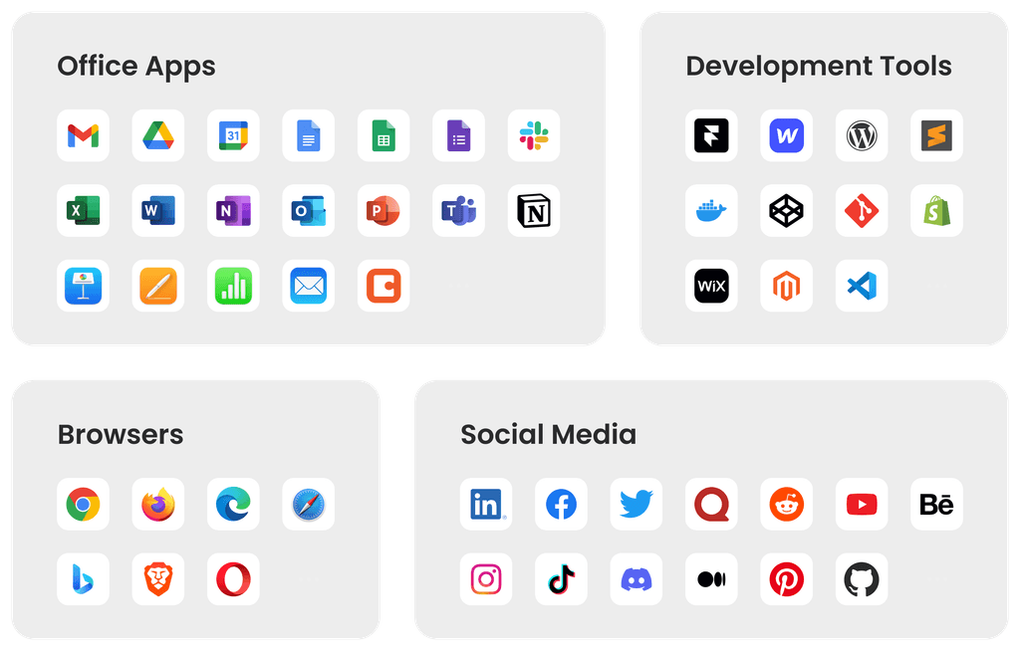
- In‑App ChatGPT Access: Directly invoke ChatGPT inside Word, Google Docs, VS Code, browsers, and mobile editors without leaving the environment.
- Multi‑Purpose Text Operations: One‑click commands for writing, improving style, paraphrasing, summarizing, translating (over 30 languages), explaining concepts, and generating replies.
- Secure API Communication: All data is transmitted via TLS 1.3; no logs are stored on Flot ai’s servers unless you enable optional history sync.
- Cross‑Platform Compatibility: Native installers for Windows 10/11, macOS 12+, Linux (deb & rpm), Android 8+, and iOS 13+.
- Custom Prompt Library: Save and reuse your favorite prompts, assign them to hotkeys, and share them with teammates.
- Context‑Aware Sessions: Flot ai remembers the last few interactions, allowing multi‑turn conversations without re‑sending the whole text.
- Lightweight & Fast: The application consumes less than 80 MB RAM and starts within 2 seconds on most modern hardware.
- Free Tier & Scalable Pricing: Unlimited basic usage for personal projects; paid plans unlock higher token caps and priority support.
- Automatic Updates: Built‑in updater checks for new features and security patches weekly, ensuring you always have the latest AI capabilities.
- Accessibility Options: Dark mode, screen‑reader friendly UI, and adjustable font sizes for inclusive use.
Each feature is designed to reduce the friction that traditionally separates humans from powerful language models. By embedding the AI directly where you type, Flot ai transforms a multi‑step workflow into a single, intuitive action. The custom prompt library, for example, allows marketing teams to store brand‑tone guidelines and apply them instantly, while developers can keep code‑review templates at their fingertips. Moreover, the secure communication model ensures that sensitive corporate documents never leave your network unless you explicitly enable cloud sync. Together, these capabilities make Flot ai a versatile, secure, and future‑proof solution for anyone looking to boost productivity with AI.
Installation, Setup, and Everyday Usage
Getting started with Flot ai is straightforward. Begin by visiting the official website and clicking the Download button that matches your operating system. Windows users receive an .exe installer, macOS users a .dmg, Linux users can choose between .deb and .rpm, while mobile users are directed to the Google Play Store or Apple App Store.
Step‑by‑step installation guide:
- Download the installer: Choose Windows, macOS, Linux, Android, or iOS.
- Run the installer: Follow the on‑screen prompts. The installer verifies your system’s compatibility and automatically adds Flot ai to your startup programs.
- Log in with your OpenAI API key: After the first launch, you’ll be prompted to paste an API key from your OpenAI account. This key is stored locally and encrypted.
- Configure shortcuts: In the Settings panel, assign hotkeys for common actions like “Summarize Selection” or “Translate to Spanish.”
- Enable extensions: For browsers, install the Flot ai extension from the Chrome Web Store or Firefox Add‑Ons page. For desktop editors, enable the plugin via the editor’s extension marketplace.
Once installed, using Flot ai is as easy as selecting text and pressing your chosen shortcut. A small, non‑intrusive overlay appears, showing the AI’s response in real time. You can accept the suggestion with Enter, edit it manually, or discard it with Esc. For longer documents, the “Context Mode” allows you to feed multiple paragraphs to the model, preserving continuity across sections.
Flot ai also supports batch operations. By opening the “Batch Processor,” you can upload a CSV file of sentences, and the tool will return paraphrased or translated versions in a new file. This is particularly handy for content marketers handling large SEO‑driven content libraries. Finally, the built‑in update checker runs silently in the background, prompting you only when a critical security patch is available, ensuring that your AI assistant stays both current and safe.
Compatibility, Pros & Cons
Flot ai is engineered to run on the most common operating systems: Windows 10/11, macOS 12+, major Linux distributions (Ubuntu, Fedora, Debian, etc.), Android 8+, and iOS 13+. The application leverages native APIs for each platform, guaranteeing smooth integration with system clipboard, notification center, and keyboard shortcuts. Because the core engine is written in Electron for desktop and React Native for mobile, performance remains consistent across devices while still allowing deep OS‑level access where needed.
Pros
- Seamless ChatGPT integration eliminates manual copy‑paste steps.
- Wide range of text functions (write, improve, paraphrase, summarize, translate, explain, reply).
- Strong security with encrypted API calls and optional local‑only mode.
- Cross‑platform support ensures team‑wide adoption.
- Custom prompt library and hotkey support boost workflow efficiency.
- Free tier suitable for individual users and small teams.
- Automatic updates keep the software current without user intervention.
Cons
- Requires an active OpenAI API key, which may incur costs beyond the free quota.
- Advanced features (high‑volume token usage, priority support) are locked behind paid plans.
- Initial setup can be slightly technical for non‑technical users unfamiliar with API keys.
- Desktop version uses Electron, which adds a modest memory overhead.
- Internet connection is mandatory; offline mode is not yet available.
Overall Rating: 4.5 / 5 – Flot ai delivers a compelling blend of convenience, security, and versatility, making it a top choice for anyone looking to integrate ChatGPT into daily workflows.
Frequently Asked Questions
Is Flot ai free to use?
Flot ai offers a completely free tier that includes unlimited basic text operations, ideal for personal use and small teams. Premium plans are available for higher token limits, priority support, and advanced collaboration features.
Do I need an OpenAI account to run Flot ai?
Yes. Flot ai requires an OpenAI API key, which you can obtain from your OpenAI dashboard. The key is stored locally and encrypted, and Flot ai does not retain any of your text unless you enable cloud sync.
Can Flot ai work offline?
Currently, Flot ai needs an active internet connection because all language processing happens on OpenAI’s servers. An offline mode is planned for a future release once on‑device models become viable.
What languages does the translation feature support?
Flot ai leverages ChatGPT’s multilingual capabilities, supporting more than 30 languages including Spanish, French, German, Chinese, Japanese, Arabic, Russian, and many others. Accuracy improves with context, so longer passages receive higher-quality translations.
Is my data safe when using Flot ai?
Yes. All communication between Flot ai and OpenAI’s API is encrypted with TLS 1.3. The software does not store your text on external servers unless you enable optional history sync. You can also activate a “local‑only” mode that discards all data after each session.
Conclusion & Call to Action
Flot ai bridges the gap between powerful AI language models and the everyday tools you already use. By embedding ChatGPT directly into browsers, document editors, code IDEs, and mobile apps, it removes the tedious copy‑paste loop and replaces it with an instant, secure, and context‑aware assistant. Whether you are a freelance writer polishing client copy, a developer seeking quick code explanations, or a multinational team needing fast translations, Flot ai’s feature set—combined with its cross‑platform reach and robust security—makes it a standout choice in the crowded AI‑assistant market.
Ready to supercharge your workflow? Download Flot ai now for free, connect your OpenAI API key, and start experiencing AI‑driven productivity without the hassle. For teams that need higher usage limits or dedicated support, explore the premium plans directly within the app. Embrace the future of text management today and let Flot ai handle the heavy lifting while you focus on the creative and strategic work that truly matters.
Guides & Tutorials for Flot ai
How to install Flot ai
- Click the Preview / Download button above.
- Once redirected, accept the terms and click Install.
- Wait for the Flot ai download to finish on your device.
How to use Flot ai
This software is primarily used for its core features described above. Open the app after installation to explore its capabilities.
User Reviews for Flot ai 0
No reviews found





